
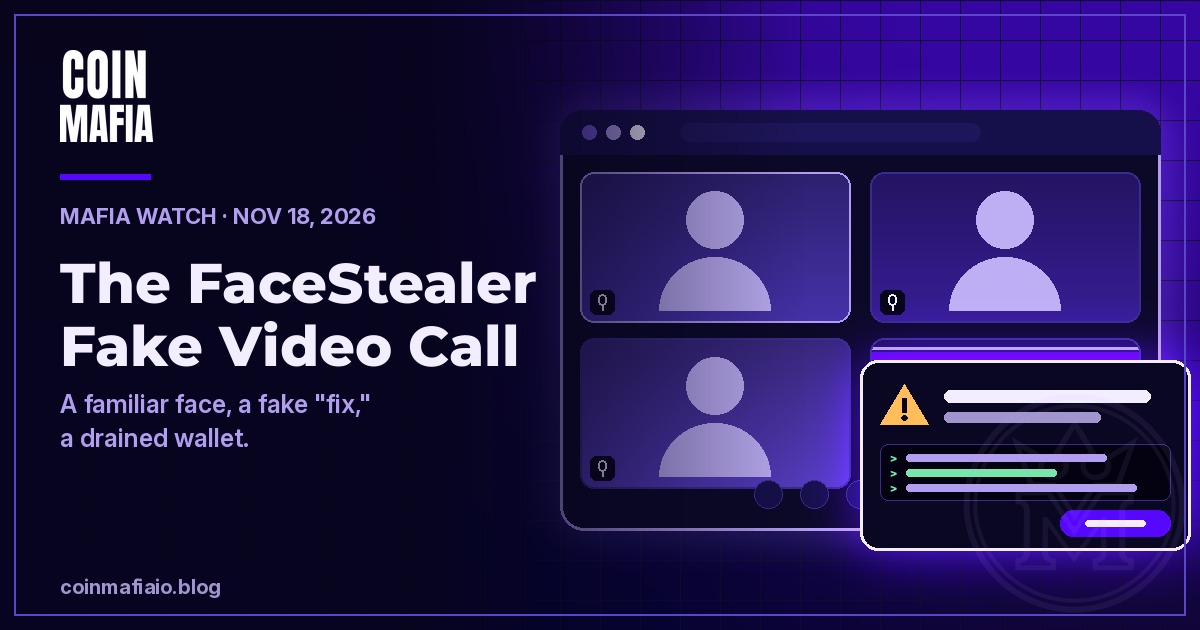
FaceStealer is a fake video call scam: a hacked contact invites you to a look-alike Zoom or Teams meeting, plays recorded video of people you know, then asks you to “fix” an audio problem by running code that installs malware and empties your crypto wallet. The FBI says North Korean state-backed hackers have stolen more than $400 million this way in the past 18 months (FBI FLASH, Nov 12, 2026).
The simple defense: a real meeting never needs you to paste code or run a script. Join calls only from the official app, and confirm any invite with the person on a second channel. Here is how the scam works, the red flags, and what to do if you think you clicked.
What the FBI is warning about
On November 12, 2026, the FBI published a FLASH alert (number AC-111226-MS) about a scheme it calls “FaceStealer.” It ties the activity to North Korean state-sponsored hacking groups known publicly as Sapphire Sleet, BlueNoroff and APT38, among other names, and says they have stolen more than $400 million in crypto over 18 months (FBI FLASH).
The FBI says it has identified and seized more than 900 webcam videos of past victims that the hackers used to impersonate those people on later calls (FBI FLASH). The same day, the Justice Department announced it had seized cloud infrastructure used in the FaceStealer scheme (US Department of Justice).
The alert is aimed at people who work in crypto and web3 and at open-source software maintainers. But the way it spreads, from one hacked contact list to the next, means everyday holders can end up on the invite list too.
How the FaceStealer scam works, step by step

- A real contact messages you. The hackers take over someone’s Telegram, LinkedIn, Slack or Discord account and use it to suggest a call to “catch up,” “discuss collaboration” or talk about a money opportunity. Because they can read old chats, the message can sound exactly like your friend (FBI FLASH).
- A calendar invite, then a late link. They send a Calendly or similar scheduling invite with no video link in it. Shortly before the call, the “meeting link” arrives by chat. It points to a look-alike address the hackers registered, such as uu01webzoom.us or teams.livemeet.us.
- A fake meeting with familiar faces. The page copies the real Zoom or Teams screen. When you are let in, the hackers play recorded webcam video of your contact, and often of other people, so it looks like a normal group call. Your own webcam is being recorded from the moment you click.
- A sudden “audio problem.” Your “friend” messages that nobody can hear you. Other fake participants add pressure. You are told to click an update, run a script, or copy and paste code into your terminal.
- The “fix” is malware. The FBI says it installs a browser cookie harvester, a keylogger, a screen capturer and a backdoor.
- You become the next lure. With your device and accounts in hand, the hackers can steal your crypto and use your account and recorded face to target your own contacts. In several cases, they waited months to over a year after the break-in for wallet balances to grow before stealing (FBI FLASH).
The FBI also says the group has started using AI to make deepfake videos of well-known people in crypto, so a “celebrity” on a call is no proof either. Most attacks still use real stolen webcam clips (FBI FLASH).
6 red flags of a fake video call

- Any request to paste code or run a script. This is the step that does the damage. No real Zoom or Teams fix asks you to open a terminal or command line.
- A meeting link that shows up late. The scheduling invite had no link, and then one appears in a chat minutes before the call.
- A web address that is almost right. Extra letters, numbers or hyphens around “zoom” or “teams” are a classic look-alike trick, called typo-squatting.
- “Only you” have the problem. Everyone else seems fine, and the group is waiting on you to fix it fast.
- A quiet contact suddenly reaching out. Someone you rarely talk to wants to catch up or pitch a deal out of nowhere.
- Faces that look a little off. Video that loops, does not react to what you say, or never actually speaks to you live.
How to stay safe from fake video calls

These steps come straight from the FBI’s recommendations (FBI FLASH), in plain English:
- Join from the official app. Open Zoom or Teams yourself and type in the meeting ID, instead of clicking a web link someone sent you. This matters most with new or rare contacts.
- Confirm on a second channel. Got the invite on Telegram? Text or call the person on a number you already have and ask if it is really them.
- Keep your camera off until you see them live. Wait until the person who invited you actually talks to you in real time.
- Never “update” from inside a call. If an app really needs an update, close it and update it from the official app or store on your own.
- Lock down your chat apps. Turn on two-factor login and login alerts, and use expiring messages so a hijacked account exposes less history.
- Keep seed phrases off your devices. Keep only small amounts in browser wallets and larger amounts on a hardware wallet. Never store a recovery phrase or private key on a computer or phone.
One more habit that helps: watch your wallets. A read-only tracker such as CoinMafia’s free STASH needs only your public address, never your keys or a connection, so you can spot a balance moving that you did not move.
What to do if you think you ran the “fix”
Move fast, and do it from a device that was not used on the call. The FBI recommends (FBI FLASH):
- Make a new wallet with a new seed phrase on a clean device, and move your funds there. The hackers copy seed phrases and may wait to strike, so the old wallet is no longer safe.
- Secure your accounts. Change your passwords, log out all active sessions, and add two-factor login to Telegram, WhatsApp and other chat apps.
- Warn your contacts that your account may be used to impersonate you. If work files were on that device, tell your employer.
- Report it at ic3.gov with the keyword “FaceStealer.” If you lose access to an account, contact the platform to get it shut down or restored.
Mafia safety tip: trust the channel, not the face
This week has two lessons in one. The website attack in today’s market update swapped wallet addresses on trusted sites, and FaceStealer turns trusted faces against you. In both cases the thing you trust is real, but the channel has been hijacked. So check the channel: type the meeting ID yourself, call your friend back on a known number, and read the address on your wallet screen before you send. Before you connect a wallet anywhere new, run through our wallet connection checklist.
Frequently asked questions
What is the FaceStealer scam?
FaceStealer is the FBI’s name for a fake video call scam. A hijacked contact invites you to a look-alike Zoom or Teams meeting, plays recorded video of people you know, then asks you to fix a fake audio problem by running code. That code installs malware that can steal your crypto and take over your accounts. The FBI says it has taken more than $400 million in 18 months (FBI FLASH, Nov 12, 2026).
Will a real Zoom or Teams call ever ask me to paste code into my terminal?
No. The FBI says that if you are prompted to update during a call, do not run scripts or paste code into a command line. Update the app separately, or rejoin through the official app with the meeting ID (FBI FLASH).
I only hold a little crypto. Should I worry?
Yes, because the scam spreads through contact lists. Once one person is hacked, their account is used to invite their friends, and the FBI says the hackers sometimes wait months for wallet balances to grow before they steal (FBI FLASH). Anyone with a wallet and a chat app can be next on the list.
What should I do if I already ran the “fix”?
Use a different, clean device to create a new wallet with a new seed phrase and move your funds to it. Change your passwords, log out all sessions and turn on two-factor login on your chat apps. Warn your contacts, and file a report at ic3.gov with the keyword “FaceStealer” (FBI FLASH).
Keep learning
- Crypto Market Today: November 18, 2026
- What to Check Before Connecting Your Wallet
- Holiday Crypto Scams: How to Spot Fake Giveaways and Impersonator DMs
- Mafia Watch: How to Spot Wash Trading and Fake Crypto Volume
- What Is a Security in Crypto?
- How to Get Started in Crypto Safely
Disclaimer: This post is for education only and is not financial, legal or tax advice. CoinMafia does not tell you what to buy or sell and does not predict prices. Facts here come from the FBI and US Department of Justice releases linked above.
Stay Mafia.
Leave a Reply